
Merge User Accounts
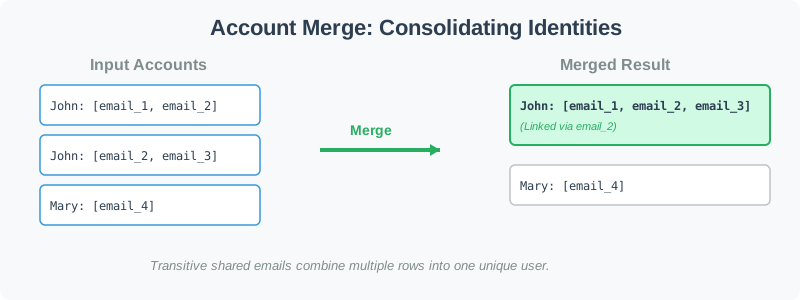

Each account row starts with a name followed by that account's email addresses. Two rows belong to the same person only when they have the same name and can be connected through shared emails.
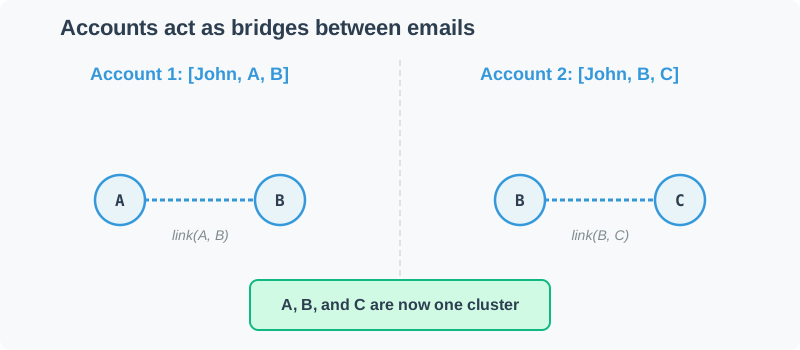
The connection is transitive. If John's first row shares one email with a second John row, and that second row shares another email with a third John row, all three rows describe the same John and must be merged.
Different names are never merged. Even if ["John", "shared@mail.com"] and ["Mary", "shared@mail.com"] contain the same email string, they remain separate accounts because the names differ.
After all possible merges, return the remaining accounts sorted lexicographically. Emails inside each account must be sorted, and the account rows are sorted by name and then by the first email.
accounts = [
  ["John", "johnsmith@mail.com", "john_newyork@mail.com"],
  ["John", "johnsmith@mail.com", "john_work@mail.com"],
  ["Mary", "mary@mail.com"],
  ["John", "johnny@mail.com"]
]
[
  ["John", "john_newyork@mail.com", "john_work@mail.com", "johnsmith@mail.com"],
  ["John", "johnny@mail.com"],
  ["Mary", "mary@mail.com"]
]
The first two John rows share johnsmith@mail.com, so they merge. The last John row stays separate because johnny@mail.com never connects to the other John emails. Mary also stays separate.
1 <= len(accounts) <= 10001 <= len(accounts[i]) <= 101 <= len(accounts[i][j]) <= 30- Names consist of only English letters
- All emails are valid. Normally emails are case insensitive, but to simplify things, assume all letters that appear in the emails are lowercase.